Update on 2/23/2011: Apple has pushed back its deadline for OSX sandboxing to June 1st, 2012. The deadline was originally November, 2011, but was pushed to March 1st in early November. Although Apple claimed that this change was to give developers time to integrate new permissions from an update, it does follow the announcement of Gatekeeper, which might be a partial substitute for sandboxing.
During the 1990s, PCs ran whatever software was installed on them. Users bought software (not yet called apps) from physical stores or got a copy from their friends. They stuck the CD in the drive, and went through the installation process, or dragged the application to their application folder. The code was “signed” by the developer (by being from a box), or not at all. The operating system didn’t stop and ask “are you sure,” no one typed in a root password, and the applications were limited only by what their programmers had decided when coding. Those were the days of the playground, not the sandbox.
The playground had problems. Software with malicious code or bugs could hijack your PC. Other users could tamper with your files. So sandboxing (although not known yet by that name) was born. Starting as far back as creating separate user directories, to as recent a development as cloud data storage, steps have been taken to make the user’s personal data and computing cycles safely under lock and key – sometimes with the key held by the user, and other times by the operating system maker. When Windows Vista was released in 2009, it tried to solve this problem with “allow” dialogs, which would pop up when an application tried to take actions without the user’s permission. This solution was mostly considered an annoyance, not a feature, as the parameters that caused a dialog were broad and users just clicked through to allow instinctually. Mac OSX’s requests for passwords before installing applications are just another step down this road – meant to put users in control of their own computing destinies, and less dependent on the good will of developers.
On smartphones, things have gone a different way. We take for granted that applications haven’t been able to access all the features of the phone. Android users view a permissions screen that tells them exactly what to expect from an application – whether it can take photos with the camera, keep the phone from sleeping or access GPS. Apple screens its applications on the way into the iOS App Store, making clear what parts of the phone they can get to, and limits users to apps from the store. All of the app’s files are required to stay in their own little corner of the file system. This process of requiring developers to encapsulate their applications within one folder – and to clear with someone for access to things outside – restricts the potential for harm. This is one version of the phenomenon known as sandboxing. Sandboxing, on the most basic level, is a security measure used to run code that’s not trusted. Rather than allowing software or applications to play freely across the machine, sandboxes restrict them to very specific resources, mitigating the damage they can do.
For years, it’s been a standard on mobile platforms and web applets. For example, the Bejeweled game that you’re playing in one of your Chrome tabs doesn’t have any way of accessing the Word document you are supposed to be working on. In fact, your Chrome tabs can’t even access each other, preventing badly coded webpages from crashing your entire browser. These apps can play in their own sandboxes – but not all over your phone or PC. The same wouldn’t be true for Bejeweled if it were a regular PC app – it’d be free to rummage through everything on the hard drive, surveilling, modifying or deleting at will. Knowing that, it’s a marvel that serious viruses didn’t appear sooner and more often.
For phones and web applets, sandboxing is ideal. After all, even you, the user, don’t interact with the underlying file structure of your iPhone or Android device (without jailbreaking), and you certainly wouldn’t want to open an online game and have it be able to make changes to your Word document. Sandboxing has serious security advantages – if programs have to lay out in advance what kind of access they get to a device, and are limited to only specific actions, an app that “goes rogue” or is compromised by malware can no longer cause the same harm to the rest of the user’s data. Similarly, a piece of compromised software can’t run processes in the background that it wouldn’t be able to run anyway – limiting potential damage.
Sandboxing usually also includes signed code, or code that is cryptographically linked to a specific developer license. Not only do Apple and Google know exactly what parts of your phone the code can access, they also know which developer produced the code. Apple’s signature program is run through its developer program, which is tied to a yearly fee, where as Google’s requires some information from the developer, but not a specific license as such.
Enter the Mac App Store
So as things stood previously, most PCs had some steps towards protection against rogue software, but hadn’t taken the sandboxing route. Browsers and smartphones sandbox processes, but different smartphone platforms have different ways of involving the user. Apple’s iOS doesn’t involve the user, and all permissions are handled at the App Store level. Android apps can either be downloaded from the Android Market or from third parties directly. In both cases, a list of permissions are visible to the user and the applicatiosn are sandobxed where they are still sandboxed.
In early November, Apple announced to developers that it was pushing back its deadline for Mac Store Apps to implement sandboxing to March 1st, 2012. This makes the Mac App Store platform much like the Android Market – users have the option to install applications from elsewhere, but all applications that go through the market must be sandboxed. Although the requirements were supposed to take effect earlier this week, the pushed-back date reflects some of the seriousproblems MacOS developers were running into in making their applications compatible with Apple’s new rules.
Apple’s change marks a huge departure from the way development and code has operated in the past. As discussed above, software on the PC of the past had access to a playground, controlled only by the user’s discretion. Although Apple’s new OSX Lion has supported sandboxing since its release, Apple is using its distribution platform to require that apps follow their new security rules. The App Store push will certainly increase the amount of applications secured.
Although there may be net gains for users who are concerned about the security of applications downloaded from the Internet, there is the potential to limit the types of applications that companies will bother trying to distribute. Programs as widely used as antivirus software and backup utilities are not distributable through the App Store platform, due to the rule against root access, and in the larger scheme of things, Apple’s concerns about security. This means no Norton Anti-Virus, no Dropbox and no MacZip. At this time, distribution outside the store is not problematic; in fact, most large-scale developers seem to not be early adopters. However, as customers become more comfortable with the App Store process, that might change.
OSX Sandboxing in Depth
The sandboxing requirements make applications downloaded through the Mac App Store limited to a very specific set of actions. Ars Technica offered an in-depth discussion of OSX Lion’s sandboxing procedures in its review of the platform, and here are the basics
To play outside the sandbox, applications need “entitlements” that represent permission to access outside tools. Entitlements can include taking photos with the camera, responding to mouse gestures or creating network connections. Lion has about thirty built-in entitlements for applications to request, created and managed by Apple.
When submitting their software to the app store, developers lay out each process that an application might run, and then explain the privileges each one might have. For example, an application like QuickTime decodes video, runs audio, and accesses closed captions from a folder at the same time. Each of those different tasks is split into a sub-process with a different set of permissions – laid out by the developer before submission to the App Store. So the video decoding sub-process of Quicktime has access to the user’s screen and graphics card, but not audio settings. The audio sub-process doesn’t have access to the video card. These divisions keep the software from using system resources without permission. Unlike platforms like Android, users won’t see these processes or entitlement – they’re just for the purpose of Apple approving the software.
Users do have special powers for sandboxed applications – any action that is specifically initiated by a user doesn’t need to be okayed by Apple in advance. They can initiate special, non-entitled actions, like opening a list of recent files or saving documents elsewhere in the file system. Apps can build in these requests without asking for entitlements for them, knowing that the user is going to activate and oversee the process.
Concerns from Developers
Pushback from the development community has come from many fronts. Some developers, such as Recent Redux creator Tim Schroeder, feel that the entitlements that the apps can have do not represent the full spectrum of developers’ needs. There are two very specific use cases that are no longer possible for App Store apps – using AppleScript and file system management
Most users probably don’t interact with AppleScript on a regular basis, but it allows for many of the processes that make software work. Notification systems like Growl, which standardizes user notifications across multiple applications use AppleScript, as do hundreds of apps that allow for better music management in iTunes. On its most basic level, AppleScript is a tool developers use to exchange information between applications, and can produce Apple Events, which make programs take actions. It can run repetitive tasks, print from one application to another, or open applications. However, it also can automate file transfers or photo editing – and will no longer be usable by sandboxed applications. Instead, AppleScript will theoretically be replaced by APIs (application programming interfaces) that allow developers (and Apple) to have better control over application interaction.
Matthias Gansrigler, a developer responsible for applications including ScreenFloat and Yoink, explains how sandboxing could, without a new API, destroy one of his existing pieces of software. GimmeSomeTune (GST) downloads lyrics and album covers, as well as displaying iTunes info in a customizable window. To do those things, GST depends on a connection to iTunes via AppleScript – it extracts information about songs that are playing and uses it to download lyrics and cover art back to iTunes. Without an API, and with Apple eventually sandboxing iTunes, GimmeSomeTune will no longer be able to access the song titles it needs. Gansrigler notes that Apple has not sandboxed iTunes yet, but with it on the horizon, he’s stopping development on the software now.
File system management is the second big field that developers are concerned about. There are many existing systems used by corporations or developers that support version control or sorting of code – and they work in the background in the file system without the user’s consent. Similarly, SSH clients or FTP apps can no longer show real time file trees – which means that all moving of files or downloads must go through the open dialog. To paraphrase an Apple ad, there’s no entitlement for that.
And to make things worse, some of the entitlements are currently temporary, leading developers to be concerned that their software might break after said entitlements are revoked. Apple has promised to provide APIs to replace the temporary entitlements, but it’s not clear when those will be available. In the mean time, developers are in a terrible state of flux – trying to decide whether to continue to put time into applications that may not be able to exist by March.
Independent of the concerns about APIs and entitlements is the uncomfortable truth of the App Store as a completely new way for developers to interact with customers. Although in previous years an OS upgrade or an update could break software, those were rare to the extreme. If an application worked on a computer, it would continue to work. Now, Apple’s role in the development process means that developers have to actively coordinate with Apple to keep their software from breaking – and a slight change in the entitlement system could destroy all of the tethered software. Apple had made itself a controlling party in the application wars – and the consequences of that are still unknown. This sandbox is under the baleful eye of Apple as playground monitor. Given Apple’s willingness to ban security researchers like Charlie Miller from developer programs for publishing security holes, this increased control might not be the security boon anyone hoped for. As if that wasn’t enough, flaws in the sandboxing system have already been reported.
Trading Generativity for Security
Sandboxing represents a true security/generativity trade off. As Jonathan Zittrain said in Chapter 7 of The Future of the Internet and How to Stop It, “Most fundamentally, many of the benefits of generativity come precisely thanks to an absence of walls. We want our e-mail programs to have access to any document on our hard drive, so that we can attach it to an e-mail and send it to a friend.” Applications downloaded from the Mac App Store, in contrast to ones from the generative Internet, may not have these capabilities.
Sandboxing can prevent some damage from an app bound and determined to wreak havoc, but sandboxing is a phenomenon independent of the App Store: Mac OS could implement it with or without Apple screening the software up front. Certainly, not all software that runs on Mac OSX is downloaded through the app store. But as The Unofficial Apple Weblog (TUAW) putit, “There’s also the fact that any discussion that begins with ‘The Mac App Store isn’t the only way to get apps on a Mac’ inevitably ends with the ominous pronouncement ‘yet.’”
Furthermore, there are issues on the development side of generativity. It seems unlikely that developers who are concerned about the market share will develop two versions of the app – (one that’s sandbox safe for the App Store and one that includes extra features that won’t work in a sandbox). As a result, sandboxing might dumb down the feature set available to even those who choose to grab their applications from the Internet. Once programmers are playing in the sandbox, there’s little reason to develop for playground-level access again. Reactions have been slow but scared – app-makers are uncertain as to what a sandboxed future means for their applications and for their distribution.
Even in the short term, where both the App Store and regular distribution methods co-exist, Apple’s sandboxing requirements are a big deal. The uncertainty about the existence of longstanding Mac programming methods like AppleScript and Apple Events, combined with the fact that no one is sure exactly how much business the App Store will do means that the impact is totally unknown. It seems unlikely that Windows 8 or other OSs will follow suit, given that Microsoft hasn’t been pursuing the same sort of distributional model, but the new tethered nature of these applications is a significant change from the way PCs have previously operated. The only thing that’s sure is that Apple would like the future of the Mac platform to be a sandboxed one, and consumers and developers will have to adapt.
12/7/11: Edited to incorporate corrections from the comments re: Android code signing and permissions.
[…] Security is also a factor—consumers are willing to consign control over their code to OS vendors when they see so much malware out in the wild. There are a variety of approaches to dealing with the security problem, some of which include a phenomenon called sandboxing—running software in a protected environment. Sandboxing is soon to be required of Mac App Store apps. More information on sandboxing, and a discussion of its pros and cons, can be found here. […]
What’s better for the user, an unsandboxed app bought/found in the wild, or a digitally signed application, also unboxed.
Obviously its better for security to have applications signed. Sandboxing adds another level of security.
Put another way, Sandboxing stops other malware from taking over an app and using it for bad things, while signing an app makes it far less likely that the app itself is a baddie.
There are no? cases of any third party software hacked to get into the OS. Its not a big win, unless almost everyone has and runs some popular title. (e.g. Chrome).
There are cases of unsigned third party software that has turned out to be actual malware.
On the March 2012 deadline: It does not even make logical sense. As far as Apple says only updates will need to be sandoxed. So old, buggy apps can stay as long as they don’t update themselves.
Also as others have pointed out, there is no way to sandbox something like Xcode, offered on the App Store.
Chillax, all the creative types will go to Linux and then because all the best apps (And sane permissions management) are on Linux the rest of the world will follow.
I understand the security/generativity tradeoff. But as tech becomes more and more integrated into our lives, shouldn’t we be fine adding more security?
Let’s say that the iPhone 6 can integrate with my car and my apartment. I want my iPhone apps carefully sandboxed so that some program I downloaded can’t access my car’s engine, or my house’s thermostat, for instance.
Applescript is still usable. It’s more that you can’t have an application that sends general Applescript (that is to arbitrary programs). But you can have an application that just sends Applescript to iTunes. This is more a problem for macro or scripting services like iKey, Quickeys, or Fast Scripts.
Modifying applications in a more robust fashion though is problematic, although apparently people are finding ways to hack around this. I believe that’s what Default Folder X does to work with sandboxed apps. Although I’m honestly not sure how they exactly got it to finally work with sandboxed programs.
“Of course, apps distributed through the Internet and not through the Android Market are not signed, which is one of the reasons why Android platforms have more malware.”
and
“Android apps can either be downloaded from the Android Market, in which case, a list of permissions are visible to the user, or from third parties directly, where they are still sandboxed, but the code is unsigned and permissions are not visible.”
are simply wrong.
All Android apps must be signed. The OS will not run an unsigned app, even if it is downloaded directly through ADB (a tool for developers to communicate with the phone over USB) or built in to the firmware.
Of course, there is no rule for an app to be signed by a certificate issued by some central authority that verifies the app makers identity. This is true even for apps in the Android Market, and it is up to every developer to make his own certificate for signing.
As for displaying permissions, it can only be avoided by installing the app via ADB.
This is something regular users rarely do. It involves installing the Android SDK and using command line tools, or having the app sources and running it from Eclipse IDE.
If a regular user downloads an app through the browser, or tries to install an app from the SD card via an on device file manager, he is still prompted with the permissions screen and can choose not to install the app, in a way almost identical to installing an app from the market.
Lev,
Thanks so much for your comments. A lot of the information I found about Android signing and permissions was unclear and or sketchy, so I appreciate your corrections – and have edited the piece to reflect them.
[…] La sécurité est également un facteur à prendre en considération. Lorsqu’ils voient tant de logiciels malveillant dans la nature, les consommateurs peuvent vouloir déléguer le contrôle de leurs programmes aux vendeurs de systèmes d’exploitation. Il existe une grande variété d’approches pour gérer la question de la sécurité, certaines impliquant l’utilisation d’un bac à sable, c’est à dire d’un environnement protégé à l’intérieur duquel s’exécute le logiciel. L’exécution dans un bac à sable sera bientôt obligatoire pour les application de la boutique pour Mac. On trouvera plus d’informations sur le sujet et une discussion sur ses avantages et ses inconvénients, ici. […]
AI is getting better at performing mass categorization of photos and text. A developer can scrape a bunch of photos from, say, Facebook — either directly, likely violating the terms of service, or through offering an app by which people consent to the access — and then use a well-trained categorizer to automatically discern ethnicity, gender, or even identity.
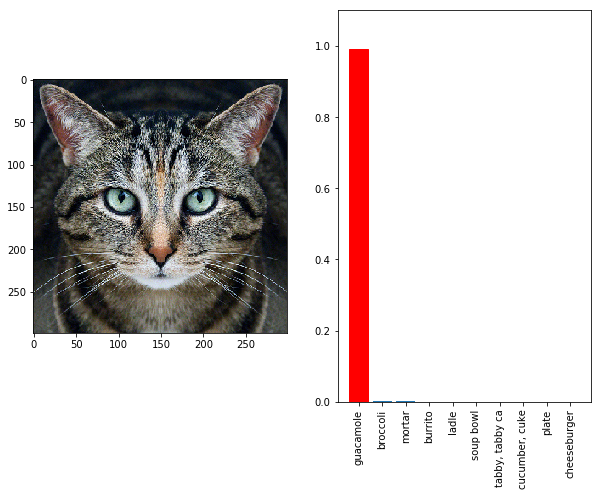
Some defenses can be built in against abuse, starting with a technical parlor trick and ending with support from the law. There’s been promisingresearch on “image perturbation” that adjusts a photo in a way that is unnoticeable to a human, but that completely confuses standard image recognition tools that might otherwise make it easy to categorize a photo. (There’s a helpful video summary of some of the research by Nguyen, Yosinski, and Clune available here.)
I’m part of a team at MIT and Harvard within the Assembly program — Dhaval Adjodah, Francisco, Daniel Pedraza, Gretchen Greene, and Josh Joseph — that’s working on tools so that users can upload invisibly-modified photos of themselves to social media without making them so readily identifiable.
Those modifications won’t thwart AI tools forever — but they’ll represent an unmistakable indication about user preference, and the law can then demand that those preferences be respected.
There is already a model for this: photos taken with a smartphone are invisibly labeled with time, date, and location. Facebook and Twitter for years have automatically stripped this information out before they show those photos on their services, avoiding a privacy nightmare by which a single photo could instantly locate someone. (There would no doubt have been Congressional hearings had they failed to do this.)
They can and should similarly undertake, on behalf of their users, to perturb images with the latest technology to prevent widescale AI-assisted identification by others, and to provide an anchor similar to “do not track” to make user preferences about bulk downstream use abundantly clear.
And these defense need not only apply to photos. An insurance company had an opt-in plan for Facebook users to have the nature of their posts influence their car insurance rates. As the Guardian described it:
Facebook users who write in short, concise sentences, use lists, and arrange to meet friends at a set time and place, rather than just “tonight”, would be identified as conscientious. In contrast, those who frequently use exclamation marks and phrases such as “always” or “never” rather than “maybe” could be overconfident.
There are also techniques that have moved from academia to industry like “differential privacy” and its precursors, where decoy data — a few new random stray likes in a profile — can be introduced to allow for helpful generalizations from bulk data across lots of people while protecting individual privacy by preventing easy generalizations about a single person.
As you can see, most people said yes. I count myself among good company among the noes, including Dan Kaminsky and Dan Geer. My answer:
“I’m saying ‘no’ not because I don’t believe in accountability, but because I think the question obscures the problem. The breach is the result of, sadly, quite common security practices. The head of an agency is surely responsible for what that agency does (or fails to do), but let us not confuse that legal and cultural fiction with an actual belief that most leaders in Katherine Archuleta’s position have an easy way of knowing what’s going on in IT security and improving the situation — the failure here is systemic and all too common.”
Here’s what the Dans said:
“It’s important not to punish people for looking to identify and solve their problems. This could have been actively ignored, and upon discovery, this could have been swept under the rug. That’s not what happened. There’s no question there’s some deep issues at OPM. I stand concerned about disincentivizing the next cleanup. What, you think OPM’s the only hacked agency?” – Dan Kaminsky, White Ops
“Changing a person will not help – it is purely symbolic, and such symbolic gestures are precisely, totally, and without debate what happens in political hierarchies (read, Washington) whenever there is bad news to handle. Even talking about whether to fire someone is a criminally profligate waste of the citizenry’s attention span. What is neither a waste nor a diversion is the question that matters: When data is scarce or precious, there may be compelling reason to centralize it, but if and only if that centralization is risk cognizant. When data is either plentiful or of marginal value, then centralizing it can only create risk, never value. Therefore, what is to be asked of those to whom OPM reports is what, exactly, was their raison d’etre for assigning the OPM its role as centralizer (scarcity or preciousness of what, exactly), and whether they delegated to OPM their own duty of risk cognizance on purpose or by accident. If wanting prediction, then the supposed reforms embodied in the Dodd-Frank law massively removed resilience from the financial system by forcing the centralization of functions previously widely dispersed into what now can only be described as freshly minted single points of failure waiting to happen. It is the urge to centralize that is what political hierarchies do. It is apologists for, and hucksters of, centralization that should lose their jobs.” – Dan Geer, In-Q-Tel
The most persuasive “yes” answer seems to me to be less of the reflexive “captain pays if the ship runs aground” approach and more grounded in the specifics of unheeded warnings:
“The OPM was repeatedly warned by the Inspector General of significant security lapses dating back to 2012. OPM leadership repeatedly failed to take the OIG’s warnings seriously. The potential consequences of this breach may be devastating for military and government personnel who hold clearances due to the highly personal data contained in SF-86 forms stored on OPM’s network. The White House, Congress, and the American people should hold OPM responsible and accountable for this breach due to negligence.” – Jeffrey Carr, Taia Global
Overall, as Dan G. says, it’s the wrong question to ask.
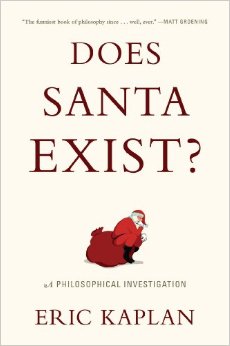
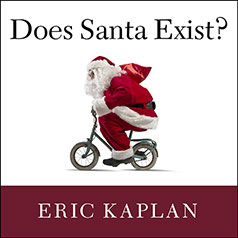
Jonathan Zittrain: This is Jonathan Zittrain speaking. I’m on the line, wherever that is, with one Eric Kaplan, author of “Does Santa Exist? A Philosophical Investigation,” a book that I had the pleasure of reading and that Eric had the burden of writing—and we thought we would talk about it for a little bit. So, hello, Eric.
Eric Kaplan: Hi. How are you?
JZ: I am very well, thank you. It would be interesting if I weren’t and we then proceeded into a lengthy discussion of my various complaints—
EK: Of your ailments, sure.
JZ: I’d be tempted to do it because one of the interesting features of the book is that it is wonderfully dialectical for a monograph, for something that really is just a number of pages of you speaking, as basically any book with a single author is. But it has this quality of you anticipating your audience as the book is reading, and there are even some wonderful footnotes there that you basically are counting on developing a relationship with the reader as you go on.
And that leads to two questions. One, anything else we should know about you before we jump in? And second, what kind of reader were you envisioning as you put your pen to paper?
EK: I don’t think you need to know anything more about me. I think you know plenty about me. I think it’s a strange relationship you enter into when you write. And in the same way, it’s almost like—Let me give you an analogy. Sometimes people are like, “Is there a voice in your head that talks when you think?” And some people say yes and some people say no. And it’s kind of a weird voice if you say yes. Does it sound like you? I don’t know what I sound like, but sometimes I do have a sense that when I’m thinking, I’m overhearing myself thinking.
And I think in the same way that whatever kind of ontological entity that voice is, I think the hearer is in the same mental space. In the same sense that when I’m talking I’m hearing myself talking, the person I’m imagining reading is like that, which is like it is me, or it’s not me, or it’s an alternative version of me, or it’s an alternative version of what I like someone else to be. I guess, I’d like someone to be understanding, but then I’d also like someone—
Sometimes I imagine the person reading my book is quite annoyed with me for some reason having to do with me, I suppose. I’ll think like, “Wow, I bet they’re just getting pretty mad about this. This all seems stupid.” But then sometimes I’ll calm down a little bit and think, “Maybe they like it or maybe it’s helping explore something for them.”
I like the idea that it could be something for someone that hits them in a way that’s quite unanticipated. And that’s a relationship that I like with people, that sometimes you just sit down next to someone on the bus and you don’t know what kind of person they’re going to be, and you can have a commonality with them. But the way in which they’re different from you is something you’re not even prepared to think about that’s quite surprising, it’s like they’re especially interested in—I was on a plane trip with somebody and she was especially involved in prison chaplaincy. And I wasn’t even thinking about prison chaplaincy, even a little bit. It’s so interesting. Did that answer your question?
JZ: Yes, it factually was an answer to the question. It made me more curious than before. In that sense, it may not have been a conclusory kind of answer.
EK: Right, right.
JZ: Given the sort of branching dialogue you have in mind with this stuff, that might be exactly the right kind of thing. How much in writing the book did you find your own view evolving? Was this basically a bunch of stuff that had been simmering for a while, which the act of writing the book was a great way of cathartically clearing out the pipeline, versus actually rethinking a bunch of stuff that had been on your mind but the act of writing the book transformed your own perception?
EK: It was a little bit more the first. It was a little bit more because I had been kind of worrying about this issue of contradiction and I had been always—I started off in philosophy and then I got into comedy and I’d been bouncing back and forth between comedy and philosophy. So I had been formulating to myself, although I had never said it, the idea that there is something that comedy and philosophy have in common about being able to simultaneously look at the same issue from two different ways. And that was something that I wanted to get off my chest, that’s that cathartic idea that you mentioned.
But then as I wrote, I found that…there was almost like a tone which I liked and there were certain things I liked—I was holding them with the tips of my fingertips and I didn’t quite know if they were real. And once I put them down on paper, I thought, “Okay, that’s a thing someone could say because I said it.” While before, I was always sort of, oh, that’s just some kind of weird problem that I have or some weird confusion that I’m. Or it’s not even a thought. It just looks like a thought. But it won’t be one when I take a look at it. So some of that stuff crystallized. So that was fun.
JZ: It certainly makes the book a great exercise in the tension between the virtue of being unfiltered and actually really baring oneself without worrying about what might sound embarrassing. It’s a very intimate book and at the same time, given that it’s trying to anticipate where the reader’s at, it’s one that is very sensitive to who might be reading it and listening, and what doubts that person might be having. It’s interesting to see you plumbing both sides of that tension.
EK: Well, that is a weird thing. That is a weird thing I found, which is—and I’m not the first one to say this, but I do think it’s true. Those times when you say something that seems so weird you don’t even know if you look like an idiot for saying it, or so personal that it feels very, very painful to disclose it, those are the times that people say, “Oh, it’s just like that with me.” I don’t know quite why that is. Why do you think?
JZ: I don’t know, but it reminds me of something else that has a monologic quality, like we go and watch a play together or we’re at a conference and somebody makes a presentation and pre-Twitter and pre-everything being wired, you might have a room of 1000 people but no one is communicating with anybody else and your reaction to it—the entire room may be feeling a certain way, but unless they literally brought jars of mayonnaise with them and they’re hurling it at the podium, you may not even know where the audience is at on it.
And today, to be experiencing a presentation from somebody and be able to react sentence by sentence in the back channel, say a Twitter channel, has completely changed that experience. I certainly have had the same experience you had on the presenting side of things where the more directly and authentically one can speak, often the more people respect that and resonate with it because maybe it’s bizarrely rare for people to share the stuff that is most in front of them.
EK: Yeah, I think that’s true. One theory I have is just that we do like to hear things that are really coming from people and are for real. Take even, like, a diet book. If somebody says, “Oh, I ate nothing but bean sprouts and I did it for 30 days and now I’m sexier and I’m younger and I’m stronger and I can run faster. I’m healthy.” I’m like, “Okay, that’s very interesting.” And then you say, “Well, did you really do that?” “Oh no, I didn’t do it. It’s just a story.” Like, “Well, I don’t care then.” I really don’t care.
I don’t think that all philosophy is an advice book. But I think it’s a lot closer to the advice book genre maybe than one might think in academia. Because like, “Hey, here’s a theory about how to run a country.” “Well, has anyone ever done it?” “Oh, no.” Well, that’s less interesting than people did it and it worked great. Here’s a theory about how to live your life. Here’s a theory about how to think about what’s important.
And I do think about it that way. And it helped. That to me is interesting. So if I say, “Oh, man, I feel really embarrassed about such and such and I really do and here’s what I did about it.” Then I think that just inherently makes it more interesting because it actually worked. It’s not just a fanciful walk through my ability to put words together.
JZ: And I don’t know if your hypothesis about what works and what doesn’t, what sticks to the wall and what doesn’t in a philosophical vein carries over to your craft of comedy. I’ve got to say in reading the book, I felt like the sections that felt to me like they were written with the surest, most passionate hand were some of the passages and reflections on under what circumstances should we take offense at something rather than find it funny.
I don’t know if it’s possible to do both. And it was one of the times where it felt like you really tipped the hand of your own very strongly held views about when it’s okay to make a joke. And I don’t know if there’s something that you want to say about that now about when is it too soon, when is it not too soon, that kind of thing.
EK: Well, it’s funny. I mean, I congenitally don’t have sympathy for people who are offended. It just seems to me like an oddly bullying move. That is, supposing something tragic happened to me—God forbid, a child died and you make a joke about it. I don’t care. Make your joke about my dead child. It’s not going to make my child deader. It’s not going to make him back to life if you don’t. That’s kind of an unthinking not terribly reflective gut feeling I have, that people who take offense are trying to push everybody else around and they should just cut it out and it’s not helpful.
Now, when I question that, I think like, “Well, okay.” I mean, if somebody was murdered and you’re making some joke and the premise was that they killed themselves and we all know that it’s not true and the reason why you make that joke is because you’re the one who killed them. Then it’s like, “Well, fuck you, buddy. That’s not cool.”
JZ: That’s a funny joke. Why is that funny?
EK: Why is it funny? I mean, I guess—
JZ: Joke about the person making the joke is, in fact, the killer.
EK: They are actually the killer. That’s not cool. I don’t think that’s cool.
JZ: Yeah.
EK: No. I mean, I don’t know. I hope not to offend the pro-murder people listening on the internet. That’s the weird thing about the internet. We don’t know who is going to be listening.
JZ: Yeah.
EK: And then I’m always questioning if I’m just wrong or coming at something from my own perspective. I do think that comedy is probably often in my own case and maybe everybody’s case a defense against painful emotion. So, I think, if there’s a situation where you should be feeling the painful emotion, then probably, to make a joke about it is offensive. Like in my example of the person who murdered somebody, then they should be feeling the painful emotion because they did something bad and by golly they should feel bad about it.
So them cracking jokes, then I think that’s wrong and, I guess, offensive. I mean, offensive is a weird word. I’m actually thinking about that. Because, I think, an offense in the Victorian way, it’s a bit like a slap in the face. You’re showing that you can hurt someone else with impunity. And I think people don’t like that. If I go up to you and I pull your nose, then you’re like, “That’s offensive.” Because you’re acting as if I’m so much more powerful than you are that I can abuse your rights and I don’t need to worry about it.
And, I think, when you look at victim politics, what they don’t like is let’s make up an ethnic group and they’re called “Poes” but sometimes other people call them “Boes” or something. And they say, “It’s so offensive when you call as “Boes”.” And I’m like, “Why? They’re basically the same word.” But what their argument is, “We don’t want to be called “Boes”. You know we don’t want to be called “Boes” and you’re doing it anyway, and that’s offensive because you are exerting your power and your privilege over us.” I get that.
JZ: Like when the Republicans had the insight two or three years ago to use “Democrat” as the adjective for Democrats, instead of “democratic.” Like, “We don’t agree with the Democrat policies.” That just sounds much harsher on the ear than, “We don’t agree with the democratic policies of the president.” And, I guess, you’re saying “whatevs,” if they just want to say that.
EK: I guess. But if we’re in the schoolyard and I start calling you Zoottrain, and you’re like, “My name is not Zoottrain,” and I’m like, “Shut up, Zoottrain,” it’s pretty clear that I’m using the fact that I can do something wrong just to annoy you and see if you have the guts to be annoyed. But it’s also a clever thing, because if you get up and you say, “Hey, why are we fighting?” “Well, he called me Zoottrain.” The teacher is going to say, “Well, why don’t you call him Koplon or something?”
The teacher will take a higher standard, and you’ll feel foolish for being upset about it. And now I’ll have won, because I’ve deliberately come up with something that’s annoying, but it’s so sneaky that it’s so hard for you to articulate why it’s annoying. So, I think “Democrat” is maybe something like that. Well, it’s “democratic,” don’t they mean the same thing? Yeah, I guess it means the same thing. But then they kind of win that one.
JZ: So, I guess, the case I could imagine being made on the other side, if we wind back just a little bit to humor and offensiveness and such, would maybe come back to the dichotomy I hear some time between punching up and punching down. And it says comedy is maybe at its best when it’s punching up, which is to say the way that South Park tends to satirize the powerful and the complacent, although they’re pretty much an equal-opportunity satirizer. And that’s different from a kind of humor that I gather is that of the French anti-Semite who has a whole comedy show around making fun of Jews using stereotypes. Is that a distinction that has any meaning for you?
EK: I wish it could work better.
JZ: Yeah.
EK: Because I can’t help but think like, well, I don’t know. We’re in Germany in 1920 and I’m a heroin addict—or whatever it was, a morphine addict. And I’m Hermann Goring. I’m pretty much on the shitty end of the stick of a lot of people, and some of them were gays. The Nazis were profoundly at the bottom of the social heap, but they were still profoundly horrible people. So I don’t think you can give a task to people just because they’ve been horribly victimized.
In other words, I think you can punch up in a horrific way, and you can punch down in a funny way, and I don’t think there’s clear ranking of all humans in terms of who is up and who is down. Somebody could be in the 19th century a wealthy snobbish gay man and then he could make fun of some poor heterosexual guy in the snobby and hilarious way. He’s sort of punching diagonally, you know what I mean?
JZ: Who is the more privileged, you’d have to sort out first before—
EK: Yeah. And that’s not to say that there couldn’t be—Look, I haven’t listened to this anti-Semitic thing in French. Maybe it’s funny. I don’t know. I’m not going to say a priori it’s not funny just because people making the jokes are objectionable and the people who are the victims of the jokes are nice.
JZ: Yes. And is part of the reason you then include comedy as part of the four-legged stool that is the structure of your book, is it because there’s a certain atomic inability to further deconstruct “funny” at a certain point, and/or is it that comedy rests, in fact, if you analyze it, in contradiction, in being able to embrace the contradiction or say something that you wouldn’t normally say but understand a certain truth with it?
EK: It’s kind of the second one. I mean, I believe in the hermeneutic circle and, I think you can explain everything by connecting it to other things. So I’m sure you could explain comedy by connecting it to a bunch of other things. But I do think it’s interesting that—Lately, I’ve been reading Metaphysics Gamma, which is when Aristotle comes out against contradicting yourself. He says it’s very terrible to contradict yourself.
But I think he is wrong. And one of the arguments that he makes is he says, “Well, if you contradict yourself, you’re no better than a vegetable.” And so, basically, he is interested in this language game where people assert things and it’s systematic and you can kind of play this game of debating and you can beat people down if they haven’t come up with a good reason for believing what they have to say.
And one of the ways you do that is through the elenchus that you point out that they’re contradicting themselves. And I think there’s all kinds of other ways people can relate to the truth and that they can relate to each other, other than this sort of debate school model where you put forward an assertion and it better not be self-contradictory. And, I think, comedy is one of them and, I guess, poetry is probably another one.
But I think it’s interesting because I think it’s like a form of non-Aristotelian or non-rational thinking. But it is thinking. I’m not being a pumpkin. I’m not being a mindless vegetable when I’m responding to a joke or I’m laughing at a joke. And yet I’m able to embrace contradictions, which according to Aristotle is sort of like a necessary condition of being a confident participant in our collective intellectual life. So that’s why I think it’s interesting.
JZ: I don’t want to end up telegraphing too much about where the book goes, because it really does have the character of a journey and there’s pieces that you introduce precisely because you introduced earlier pieces. But there’s this wonderful counterpart you’ve done online where people can kind of choose their own adventure as you’re narrating on 14 YouTube videos on how much choice they might want to make.
But it’s probably not tipping hand too much to say you examine logic, you examine mysticism, you examine comedy—which is to say trying not to be contradictory at all costs, embracing contradiction, and then looking for a way that can tolerate contradiction without making everything equally true.
By the time you get to what you have found right now that works for you, which I should say was a really interesting kind of 30-degree turn for the book to take, are you thinking more as in, “This is just what happened to add up for me given the path I personally have experienced and taken?” Or are you thinking, “I’m really on to something, and somebody reading this book might well join me literally in the place I end up on what counts for figuring out things like whether Santa exists?”
EK: Well, the second one. I think it could be helpful if people could literally like the way I put things together and put things together for them. But I think in a weird way, what I’ve come up with is almost like a method of mapping from where you are to where you want to go. I think like, wow, what I end up doing is having this kind of—I wouldn’t say a mismatch but I kind of lived synthesis of a bunch of different things that I’ve gone through in my life and it involved looking at my emotions and what it is that drove me to think about stuff and doubling back and looking at it from an emotional point of view.
And I think that that could be helpful for somebody else. But they could be different. They could be some Marxist Chinese person who is somehow getting more interested in the Daoist tradition of their grandpa. They could have different stuff going into the cauldron, into the witch’s brew, so to speak. But I do think it’s not just a memoir. I mean, I do think I’m talking about my life deliberately in an abstract enough way that could be helpful to other people.
JZ: And what would be the ideal reaction to this book? What’s your highest hope for it other than, of course, it ends up by the cash register at—I think they still have bookstores—that it ends up by the cash register there and flies out the door and you make a lot of money.
EK: Well, one of the things I feel is a kind of a tragic thing right now is a way that religious people and atheists talk past each other. And I see that in our national life in the United States. And I also see it globally. I wish the book could help people from both sides lower the heat and increase the light of those conversations. Because I do think that they’re not as different as they think and there’s an ignorant, hectoring quality that I see both in atheists talking about how stupid religious people are, and religious people talking about how wicked and shallow atheist people are.
And I would like it if people could just put those cudgels down and start appreciating each other. So that’s my highest hope. And then also my highest hope is that people who are internally tormented by these issues might be able to put their internal cudgeling down and be just like, “Oh, I like logic and mysticism too and that’s okay.” And if somebody could have a more free, easy relationship with themselves from reading my book, that’s another hope.
JZ: That’s funny. As I thought about what you’re describing as a problem of public discourse, I thought that maybe part of that problem is that people too often think of joining a discourse about something as a team sport in which they’re a member of a team and they measure success of the conversation by how many goals they’ve scored, rather than as a joint pursuit of truth or enlightenment. Or you’d measure success by how much your view has changed, because wow, that’s productive conversation.
And I wonder how much the team sports/entertainment view of discourse — I think of the debate, the Creation Museum between Ken Ham and Bill Nye, the Science Guy. I mean, that was surely “get out your popcorn and watch the sparks fly.” The studio-wrestling view. Do you figure that’s kind of a big part of the problem? Or when you look at comedy, and comedy is form of entertainment, so it’s weird to blame a desire for entertainment over truth seeking as the issue.
EK: Well, I guess, I think I’m more concerned on maybe with a slightly more intractable phenomenon which is that people—Let’s say you’re an anti-abortion activist. And you’re just like, “Wow, there are these people killing babies.” And I just feel like, “Well, why did you decide that those were babies and how did you decide that those people were murderers? Why don’t you think about that a little bit more and maybe talk to some of them?”
And then on the other side of the aisle, people are just like, “Oh, there are these people, there are these morons saying the world is 6,000 years old.” Then just kind of like, “Why do they think that? What are they expressing when they say that? How do you want to talk to people like that? Maybe they are worried that there’s kind of hegemonic quality to your discourse and how do you put yourself in their shoes?”
So, I think, it’s something that—Even if people are going into these debates not trying to entertain, I think they still can run into just this sort of failure of moral imagination of what it would be like to grow up and honestly be a Pentecostal Christian or honestly be an atheist. I just think people don’t know what’s going on in the minds of other people and I wish they would take more of an interest.
JZ: Which is to say then that a big part of the book and the question posed by the book whether asked between adults or between kids is, “Are you ready to be in a place where you might find yourself changing your minds sufficiently or changing your identity? Are you okay with that? Are you ready to examine almost anything, no matter how nailed down you consider it to be?”
EK: I think so. I think there’s a kind of an emotional angle also. The thinking is almost like a form of psychotherapy, or self-psychotherapy. I used to be worried that the world is changing too fast, and I’m speaking autobiographically now. It’s like, “Oh, no, Disney channel is going to be teaching my children, and they are this heartless capitalist enterprise, and the world is getting away from me.”
And then I started to think, like, “What am I holding onto? What am I afraid of? Why am I afraid that my children won’t have the moral compass or the imaginative compass to find a way in the world just as I did? Why do I feel like I’m a child who can’t defend myself?” That’s what I find interesting. Realizing maybe the things that scare me—what did it tell me about me that certain things scare me or horrify me?
I would sometimes have this mood, these last few days where I look at it and be like, “Oh, people are callous and shallow, and I’m sensitive.” And then I thought, “Well, how do I know they’re callous and shallow? I mean, do I share what I’m sensitive about with people every day? No, I kind of hide it. Well, maybe they’re doing the same thing.” To me, that’s kind of an exciting journey and that’s maybe because I’m self-obsessed. But to me, it’s interesting just to be like, wow, they are these interesting intellectual questions. But they’re motivated by these emotional questions and those emotional questions are motivated by a very deep sense of who I am and what I’m vulnerable to and what I’m afraid of and what I hope.
JZ: Which is why what otherwise could be a highly analytic book, rigorous in the traditional sense, is so wonderfully tempered by, I think, what you called earlier the aspects of memoir that really put yourself into it even as you are curious about what the self is and whether there even is one.
EK: Right. Personally, maybe I’m just gossipy, but I’m interested in, “what was Thomas Jefferson thinking when he was sleeping with that slave?” Was he just not thinking about it? Did he think he was just being an animal and then feel sorry the next morning? I would like to know. And I don’t know if he knew. I don’t know if asking him, presuming we have a time machine, if we would get a straight answer from him or an illuminating answer. But I think it’s really important. So I just wonder about those things. And I think if there was an honest memoir by Immanuel Kant, it’s like, “Hey, Immanuel Kant, how did you decide that freedom was the most important thing?” And like, “Well, look, when I was 11 years old in Prussia, I ran into all these people who were pushing other people around and it really made me sick.” “Oh, okay, that’s interesting.”
I don’t think it detracts from his achievement to know where it came from. And sometimes it may give you more appreciation for his courage to think like, wow, this guy, he didn’t decide to go and work for the monarchy and he didn’t decide to go and be a religious guy even though he sort of was. He didn’t even get married. And he hardly ate anything! And he just kind of lived his life of trying to spread some knowledge. I think that’s cool and I would like to sit him down and have coffee, if he drank it, and then ask him why and what motivated him.
JZ: And that’s why I’m really grateful for the chance to have sat down over the virtual phone line and had a chance to talk to you about this book. Perhaps it will be one of a series as this filters in. Is there a prospect that you’d write another? Or does this feel again so cathartic like…
EK: I’m interested in writing a book called “Other People: What are They Good For?” Just from the perspective of a lone person. Like what are other people for? Are they just to give me pleasure? Should I just put up a wall against them and keep them from hurting me? Or is there some more fundamental use for them? I just find it interesting.
I mean, I’m pro-other people, but I think that’s something that people so easily fall into sanctimoniousness about, where people are just like, “Well, you know what it is? You should love everyone else as much as you love yourself.” But sort of deep down, no one really does that, or very few. Why do people say that if they don’t really think it? It’s just kind of like they’re trying to get their hand in their pocket by telling you that your money and their money are the same thing. I just find it interesting.
I suspect it will be, like, it’s a little scary to me. I feel like it’s, “Oh, I hope I don’t come out of it more selfish than I was to begin with. I hope I come out writing it less selfish and a better person. But maybe I’ll change my mind about what it means to be a better person.” I don’t know. I’m puzzled by it. I’m interested by it.
JZ: It might be the kind of book, given the title, to co-author, crowdsource, or otherwise write from multiple points of view.
EK: Yeah, that’s so interesting. I’m so interested in collaboration. And I think it’s tricky because sometimes when we enter into collaboration, we protect vulnerable parts of ourselves and we put forward a social self. And that’s going to make it less interesting. But if you have people who are really not doing that, then it’s very exciting because you get something amazing, like Coleridge and Wordsworth and Lennon and McCartney, people like that.
JZ: Yeah. EK, thank you so much for this kaleidoscopic chat around a book that really does divide into so many directions. I feel lucky to have read it and will be eager to hear from others who have, and to carry on that conversation.
EK: Well, thank you for the opportunity. I’ve enjoyed talking about it and talking with you.
Eric Kaplan is a writer and producer of the Big Bang Theory. He’s also a student and teacher of philosophy. Put the two together and you get Does Santa Exist?, an exploration of metaphysics, life, and ethics, from the point of view of a dangerously smart comedian. Eric and I recorded a conversation about his book, below. (Spoiler non-alert: we do not declare whether Santa exists.)
“CANÁRIO-DA-TERRA-VERDADEIRO (Sicalis flaveola)” by Dario Sanches on Flickr. Licensed under Creative Commons Attribution-ShareAlike 2.0
Guest post by Naomi Gilens, J.D. Candidate, Harvard Law School
[I’m pleased to feature on the blog some of the best work undertaken by HLS students on Internet-related topics. –JZ]
In 2002, the FBI used the newly-passed Patriot Act to demand that libraries secretly turn over records of patrons’ reading materials and Internet use. The libraries had to comply – even though such secret requests go against the entire ethos of a professional librarian. To get around the government’s mandate not to disclose the orders, some libraries came up with a potential workaround: they hung signs on their entrances stating, “The FBI has not been here (watch very closely for the removal of this sign).” The idea was that, like a canary in a coal mine, the presence of the sign would reassure the public, and its removal would signal to those watching closely that all was no longer well. An order not to disclose something may differ legally from an order compelling continued, false notices that no national security request has been served, and warrant canary notices work by exploiting that difference.
Warrant canaries have been discussed in some Internet policy and privacy circles since the initial deployments, and recently some major companies appear to have adopted the libraries’ approach in order to send signals about the digital data the companies hold on their customers. For example, last November, Apple made headlines for including a warrant canary in its biannual transparency report, declaring:
Recently, observers noted that Apple removed that text from its last few transparency reports, prompting speculation that the company may have actually been served with a 215 order for records on Apple users.
Apple isn’t the only one to have adopted a canary. Since the Snowden disclosures began last summer, the public has become increasingly sensitive to privacy concerns and tech companies have come under commensurate pressure to disclose how they share user information with governments. As a result, many companies have begun experimenting with warrant canaries in an effort to increase transparency. Encryption and information security providers like Silent Circle and Wickr have been leading the trend:
And even popular social networking sites like Tumblr have picked up on the approach:
Up until recently, these canaries have all remained alive and well. It’s possible that this is still the case, as it’s not entirely clear yet whether Apple actually intended to kill its canary and signal that it had received a 215 order. Though Apple’s transparency report no longer includes the statement that “Apple has never received an order under Section 215 of the USA Patriot Act,” it now says that “Apple has not received any orders for bulk data.” Section 215, which allows the government to collect business records related to national security investigations, is an authority under which the government carries out the bulk collection of Americans’ phone record metadata for foreign intelligence purposes.
Nonetheless, the fact that Apple removed its canary language from its most recent transparency reports has provoked a spate of speculation as to what the change signifies. Mike Masnick at TechDirt, for example, has suggested that the Justice Department may have pressured Apple to change the language. Another possibility is that Apple just never intended to adopt a warrant canary to begin with. In telling the public it had never received a national security order under Section 215, Apple may have simply failed to think through what would happen if it ever did receive a 215 order. If that is the case, the company would have been surprised by the press coverage lauding it for adopting a canary. Changing its language may have been a strategic move to remain generally transparent, while making it clear that the statement is not a canary that can be relied on to communicate the fact of a national security request.
As Chris Soghoian of the ACLU pointed out, “There is a lesson to be learned here: once you post a warrant canary, it needs to stay in the same place and use the same language.” Indeed, warrant canaries could be at their most effective if companies work together to adopt standardized language and publication cycles, making it crystal clear to the public that they are intentionally publishing canaries. Then, should the canaries disappear, observers can be confident that the company did actually receive a national security order.
What if Apple really is signaling that it has been served with a 215 order? If it did receive such an order, it would likely have felt obliged to remove its canary statement whether or not it actually wanted to communicate the fact of the order to the public. After all, leaving it in the transparency reports would be a direct lie to the public (and to Apple’s shareholders). Replacing it with a statement that the company had never received an order for bulk data may have been an intentional attempt to avoid liability for violating the gag order by confusing the message that killing the canary would have otherwise sent.
Apple has so succeeded in confusing its message (see: this blog post) that it is surely in no danger of prosecution for violating the gag order. But as canaries become increasingly common, it seems inevitable that such a scenario will take place in the near future. When it does, it’s possible that the government will prosecute the company that killed its canary, arguing that the company has violated the gag order by communicating the fact of the national security order to the public. The company is likely to respond with a First Amendment defense that, while the government can prohibit a company from speaking about an order, it cannot compel the company to publish an untrue canary statement. Essentially, this argument turns on the idea that compelling a person to be silent is categorically different than compelling a person to lie.
The question whether the government can force someone to lie appears to be a novel one. As EFF has explained, the outcome of a case is likely to depend heavily on the actual facts before the court. Apple’s might be an ideal test case—the broad language of its canary, combined with the company’s huge customer base, ensures that even if Apple did kill its canary, no individual user would have reason to suspect that his or her own personal data was requested. As a result, killing the canary would cause only minimal harm to national security, and the interest in preventing that harm is easily outweighed by Apple’s First Amendment interest.
Other companies publish more granular canaries, which provide individual customers with more specific information about the security of their own personal information. CloudFlare, for example, publishes a series of different canary statements tailored to specific services it provides—among others, it states:
If CloudFlare killed this canary, it would alert users that their encrypted communications may no longer be secure, and at least some of those users would be likely to close their accounts and move their information to another provider. Theoretically, a company could even create individual canaries for each user and email them to the user every day, alerting the user that no requests for his or her information has been received. Killing this canary would provide highly useful information to the subject of a national security investigation, and one can imagine that the government would vigorously oppose it.
The hypothetical canary that provides individualized notices to each user illustrates the extent to which canaries are essentially end-runs around lawful gag orders. Companies exploit the potential legal loophole in the difference between compelled silence and compelled lies in order to communicate information that they would otherwise be prohibited from sharing. The fact that so many companies are adopting canaries, even at the risk of exposing themselves to litigation and—at the outside—potential criminal liability, highlights how out of step even routine national security requests have become with the companies’ willingness to turn over information on their users. Like Apple’s recent embrace of automatic encryption, canaries are a symptom of the growing public desire to maintain control over personal data. In the end, then, canaries do not only signal information about national security requests that companies couldn’t otherwise communicate; they also signal the dissonance between the government’s emphasis on secrecy and industry’s willingness to cooperate. The era of companies sharing data with the government in the name of patriotism with just a shake of the hand is now over.
To read more, see Naomi’s paper on the subject, available at SSRN, and EFF’s FAQ here.
About Jonathan Zittrain
Archived blog for Jonathan Zittrain, Author of The Future of the Internet









November 30th, 2011 at 11:32 am (#)
[…] Security is also a factor—consumers are willing to consign control over their code to OS vendors when they see so much malware out in the wild. There are a variety of approaches to dealing with the security problem, some of which include a phenomenon called sandboxing—running software in a protected environment. Sandboxing is soon to be required of Mac App Store apps. More information on sandboxing, and a discussion of its pros and cons, can be found here. […]
November 30th, 2011 at 2:46 pm (#)
What’s better for the user, an unsandboxed app bought/found in the wild, or a digitally signed application, also unboxed.
Obviously its better for security to have applications signed. Sandboxing adds another level of security.
Put another way, Sandboxing stops other malware from taking over an app and using it for bad things, while signing an app makes it far less likely that the app itself is a baddie.
There are no? cases of any third party software hacked to get into the OS. Its not a big win, unless almost everyone has and runs some popular title. (e.g. Chrome).
There are cases of unsigned third party software that has turned out to be actual malware.
On the March 2012 deadline: It does not even make logical sense. As far as Apple says only updates will need to be sandoxed. So old, buggy apps can stay as long as they don’t update themselves.
Also as others have pointed out, there is no way to sandbox something like Xcode, offered on the App Store.
Total disaster.
November 30th, 2011 at 3:28 pm (#)
Chillax, all the creative types will go to Linux and then because all the best apps (And sane permissions management) are on Linux the rest of the world will follow.
November 30th, 2011 at 5:55 pm (#)
I understand the security/generativity tradeoff. But as tech becomes more and more integrated into our lives, shouldn’t we be fine adding more security?
Let’s say that the iPhone 6 can integrate with my car and my apartment. I want my iPhone apps carefully sandboxed so that some program I downloaded can’t access my car’s engine, or my house’s thermostat, for instance.
December 1st, 2011 at 12:59 pm (#)
Applescript is still usable. It’s more that you can’t have an application that sends general Applescript (that is to arbitrary programs). But you can have an application that just sends Applescript to iTunes. This is more a problem for macro or scripting services like iKey, Quickeys, or Fast Scripts.
Modifying applications in a more robust fashion though is problematic, although apparently people are finding ways to hack around this. I believe that’s what Default Folder X does to work with sandboxed apps. Although I’m honestly not sure how they exactly got it to finally work with sandboxed programs.
December 7th, 2011 at 10:09 am (#)
The statements:
“Of course, apps distributed through the Internet and not through the Android Market are not signed, which is one of the reasons why Android platforms have more malware.”
and
“Android apps can either be downloaded from the Android Market, in which case, a list of permissions are visible to the user, or from third parties directly, where they are still sandboxed, but the code is unsigned and permissions are not visible.”
are simply wrong.
All Android apps must be signed. The OS will not run an unsigned app, even if it is downloaded directly through ADB (a tool for developers to communicate with the phone over USB) or built in to the firmware.
Of course, there is no rule for an app to be signed by a certificate issued by some central authority that verifies the app makers identity. This is true even for apps in the Android Market, and it is up to every developer to make his own certificate for signing.
As for displaying permissions, it can only be avoided by installing the app via ADB.
This is something regular users rarely do. It involves installing the Android SDK and using command line tools, or having the app sources and running it from Eclipse IDE.
If a regular user downloads an app through the browser, or tries to install an app from the SD card via an on device file manager, he is still prompted with the permissions screen and can choose not to install the app, in a way almost identical to installing an app from the market.
December 7th, 2011 at 7:59 pm (#)
Lev,
Thanks so much for your comments. A lot of the information I found about Android signing and permissions was unclear and or sketchy, so I appreciate your corrections – and have edited the piece to reflect them.
Kendra
December 11th, 2011 at 5:48 pm (#)
[…] La sécurité est également un facteur à prendre en considération. Lorsqu’ils voient tant de logiciels malveillant dans la nature, les consommateurs peuvent vouloir déléguer le contrôle de leurs programmes aux vendeurs de systèmes d’exploitation. Il existe une grande variété d’approches pour gérer la question de la sécurité, certaines impliquant l’utilisation d’un bac à sable, c’est à dire d’un environnement protégé à l’intérieur duquel s’exécute le logiciel. L’exécution dans un bac à sable sera bientôt obligatoire pour les application de la boutique pour Mac. On trouvera plus d’informations sur le sujet et une discussion sur ses avantages et ses inconvénients, ici. […]